
Solutions
Meeting Room Booking Display Software
Digital signage displays outside every meeting room showing real-time availability, booking details, and upcoming meetings. Syncs with Outlook 365 and Google Calendar automatically.
Executive Summary
- Real-time sync with Outlook 365 and Google Calendar for accurate room availability.
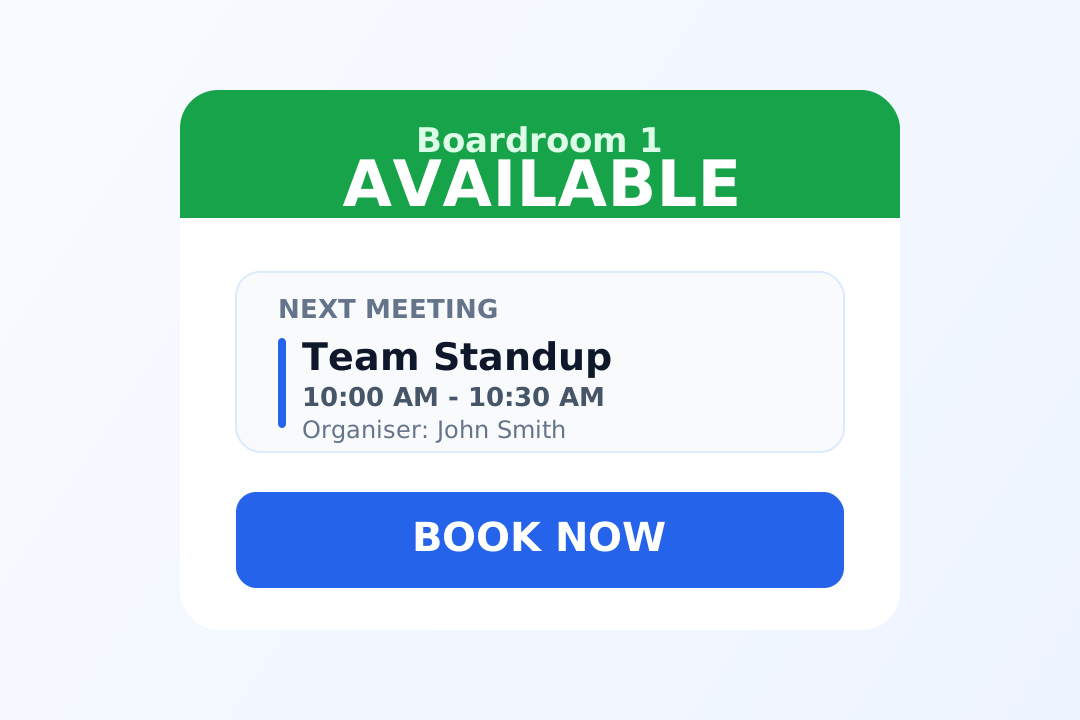
- Meeting details on-screen so teams and visitors can confirm room, time, and organizer quickly.
- Idle screens can switch to company announcements or promotional messaging when rooms are free.
Operational Problem
Most meeting room displays simply show whether a room is available or occupied. That is not enough. Teams need more context, and the screens can do more for the business.
No Meeting Details
Basic displays do not show who is meeting, what it is about, or when it ends, so colleagues and visitors cannot verify they are in the right place.
Manual Updates
Without calendar sync, someone has to manually update the display, and information often becomes outdated.
Wasted Screen Time
A static "Available" screen wastes valuable display space that could be used for announcements or internal marketing.
Real-Time Booking Status
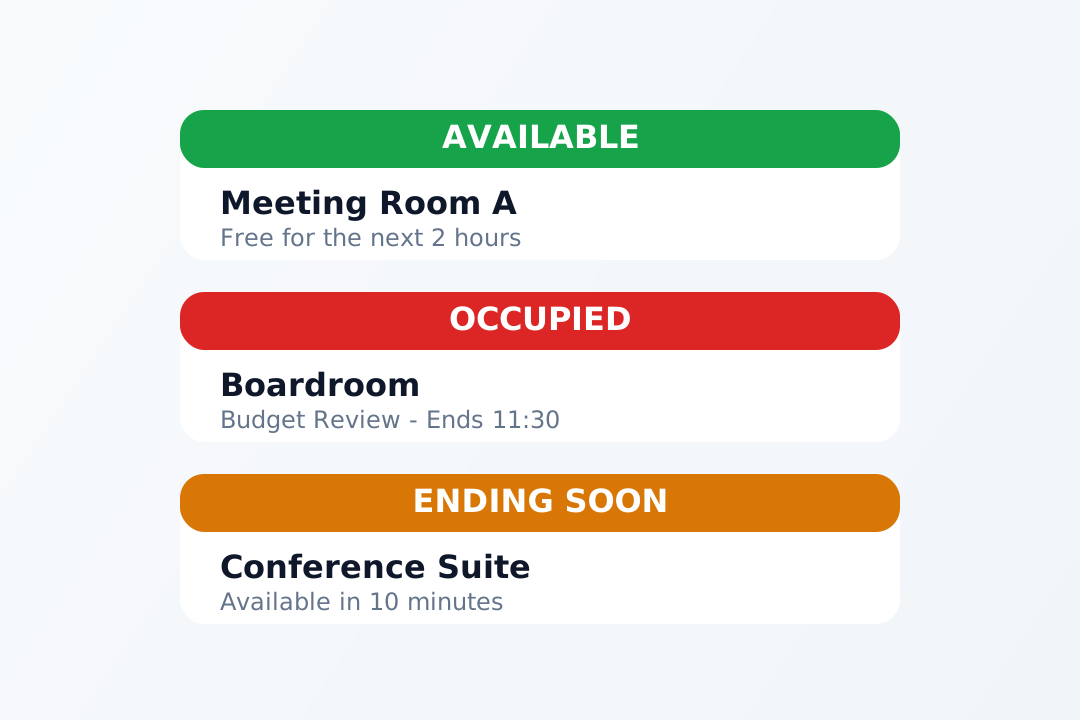
Our meeting room displays show instant, accurate booking status. Teams can see at a glance whether a room is available, occupied, or ending soon, all synced with your calendar system.
- Available: Room is free and can be booked.
- Occupied: Meeting in progress, do not disturb.
- Ending Soon: Meeting ends in the next 15 minutes.
Meeting and Event Details on Screen
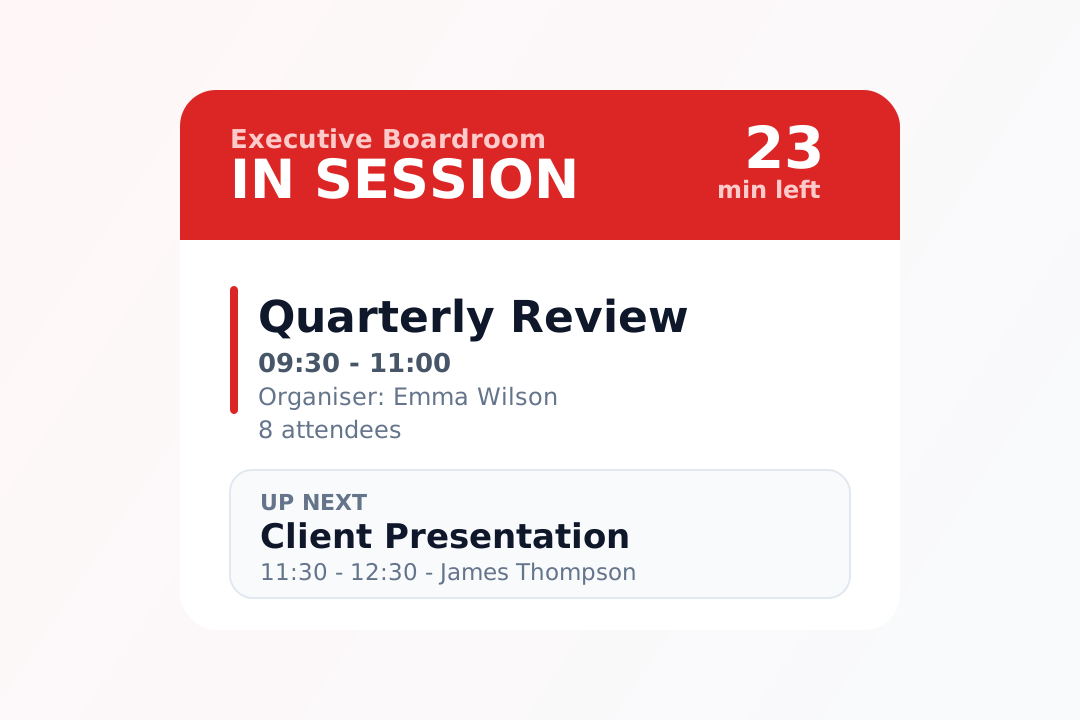
Go beyond simple availability. The display can show the meeting title, organizer, attendees, current time remaining, and what meeting is next so people have the information they need in one glance.
Meeting Title
Clarifies what is happening in the room.
Organizer Name
Shows who booked the meeting.
Time Remaining and Next Meeting
Provides immediate context for room planning and transitions.
Idle Screen Marketing
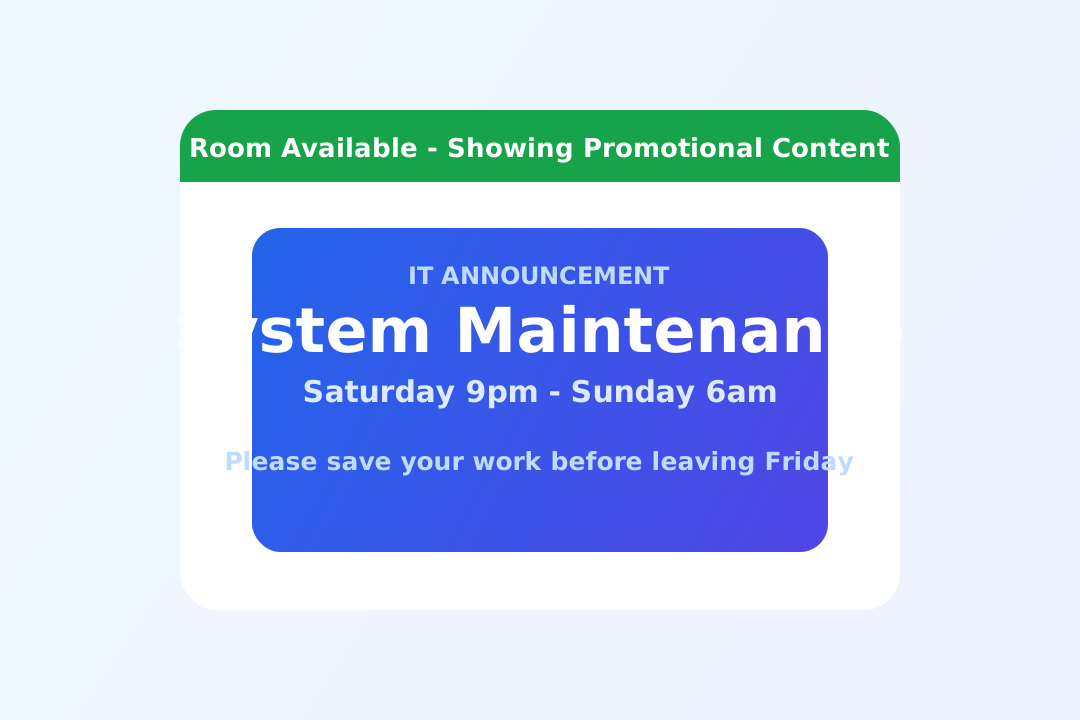
Most meeting room displays waste valuable screen time by showing only "Available." This solution automatically switches to useful content whenever rooms are unbooked.
Company Announcements
Policy updates, IT notices, and HR communications.
Internal Marketing
New products, services, and internal achievements.
Hotels and Venues
Restaurant specials, spa offers, and event promotions.
Calendar Integration
Our meeting room displays work with the calendar systems you already use. There is no need to change your booking workflow.
Swipe sideways to view the full table.
| Calendar System | Integration Type | Operational Outcome |
|---|---|---|
| Microsoft Outlook 365 | Two-way sync with room calendars | Bookings on display and Outlook stay aligned in real time |
| Google Calendar | Google Workspace integration | Accurate room status based on existing Google workflows |
| Built-in Calendar | Standalone booking mode | Works without external calendar systems |
Hardware Options
Choose the display that fits your space, budget, and requirements.
Tablet Displays
iPad or Android tablets with wall mounts. Cost-effective for multiple rooms, typically 7-12 inch touch displays.
From £200 per device.
Wall-Mounted Displays
Commercial-grade 10-22 inch screens designed for continuous operation with touch or non-touch options.
From £400 per device.
Touch Screen Booking
Interactive screens for instant room booking, meeting extension, and two-way calendar sync.
Available on all display types.
Industries We Serve
Meeting room displays are used across sectors with bookable spaces and shared rooms.
Hotels
Meeting rooms, conference facilities, and event spaces for guests.
Corporate Offices
Reduce scheduling conflicts and improve room utilization.
Coworking Spaces
Enable members to book rooms on demand with clear status.
Education
Classrooms, study rooms, and faculty meeting spaces.
Setup Process (We Do It For You)
Our UK-based team handles installation, software setup, calendar integration, and staff training.
-
Step 1
Consultation: We assess your needs and recommend the right displays.
-
Step 2
Installation: Professional mounting and configuration.
-
Step 3
Integration: Calendar sync setup and custom branding.
-
Step 4
Training: Staff onboarding so your team can manage confidently.
All setup is included at no extra cost. We do not just provide a login. We configure the full workflow for your team.
Simple, Transparent Pricing
Software pricing is per display, per year. Hardware costs vary by display type.
| Display Volume | Software Price | Fit |
|---|---|---|
| 1-19 displays | £120 per display/year | Small to medium deployments |
| 20+ displays | £100 per display/year | Larger enterprise rollouts |
- Calendar integration included.
- Free concierge setup included.
- Idle screen content included.
Evaluator FAQ
What is a meeting room display screen?
Do meeting room displays work with Outlook and Google Calendar?
Can I book a room directly from the display?
What happens when a meeting room is not booked?
What types of display hardware are available?
How is the installation handled?
What industries use meeting room displays?
What is the pricing for meeting room displays?
Continue Evaluation
If meeting-room availability visibility, calendar alignment, and idle-screen utilization are priorities, this page covers the core operating model. We can map your current workflow and propose the right setup.